Arista belongs to the
vendor elite list designing and building network equipment for the next generation of data centers to support cloud and virtual network workloads. What is cool about this vendor is it unique and open network operating system architecture:
Arista EOS.
System architecture
It is built on top of a Linux Fedora distribution. From high level point of view it has a similar design architecture like BigIP LTM from F5 Networks (TMOS architecture
link1/
link2). The pictures below show architecture design for EOS.
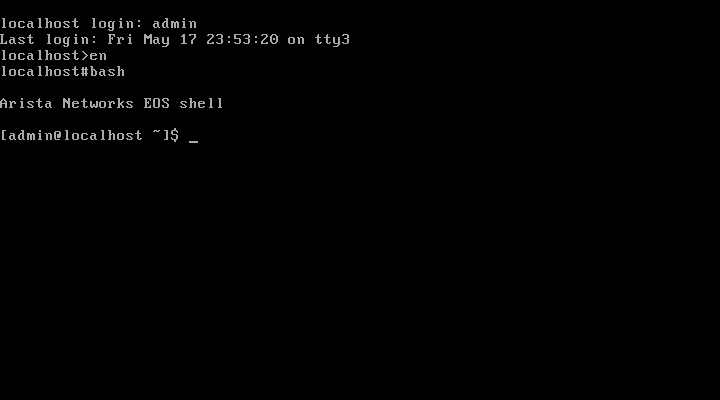
Linux Bash access
As an engineer, after login you get access to the
Linux Bash shell on Arista switch. From there you can run the switch CLI commands or get access to the whole list of Linux standard commands. You can run
top to list processes, use
ls -la to list files,
less to see file content and most importantly run
tcpdump to capture traffic. All good Linux staff and not some vendor custom magic tool set.
Configuration CLI
The CLI mirrors many of the Cisco commands:
Example : port mirroring
7050-1(config)#monitor session test1 ?
destination  Mirroring destination configuration commands
source       Mirroring source configuration commands

7050-1(config)#monitor session test1 source ?
Ethernet      Ethernet interface
Port-Channel  Lag interface

7050-1(config)#monitor session test1 source ethernet 1 ?
both  Configure mirroring in both transmit and receive directions
rx    Configure mirroring only in receive direction
tx    Configure mirroring only in transmit direction
,     extend list
-     specify range

7050-1(config)#monitor session test1 source ethernet 1
7050-1(config)#
Example : show port-channel
Arista:(config-if-Et1)#show port-channel 20 detail
Port Channel Port-Channel20:
 Active Ports:
 Port                Time became active       Protocol    Mode
 ------------------- ------------------------ -------------- ------
 Ethernet1           14:53:02                 LACP        Active
Ethernet2          14:52:57                 LACP        Active
Example : capturing network data
tcpdump -i et12 -vvv > /tmp/tcpdumpe12.txt
Extensions
As the system provide Python execution environment you can easily customize it and write your own extension. An example of a Python script for gateway monitoring can be found here:
Dead Gateway Detection.
References
- https://eos.aristanetworks.com/wiki/index.php/EOS
- https://eos.aristanetworks.com/wiki/index.php/What_is_the_underlying_Linux_OS%3F
- https://eos.aristanetworks.com/wiki/index.php/What_is_the_underlying_architecture_of_EOS%3F
- https://eos.aristanetworks.com/wiki/index.php/Is_it_truely_a_single_code_version_across_all_platforms%3F
- https://eos.aristanetworks.com/wiki/index.php/EOSTips
- https://eos.aristanetworks.com/techtips/
- https://eos.aristanetworks.com/devblogs/
- https://eos.aristanetworks.com/2012/12/introduction-to-port-mirroring/
- https://eos.aristanetworks.com/wiki/index.php/4._Watching_interface_statistics_real_time
- https://eos.aristanetworks.com/wiki/index.php/6._tcpdump_on_switch_and_redirect_output_via_email/TFTP/FTP



 Posts


